
How to Link or Update Mobile Number in Aadhaar from Home Using the New Government App
If you want to link or update your mobile number with your Aadhaar card, you no longer need to visit an Aadhaar center. The Government of India has launched a new official mobile application that allows you to complete this process from home using face authentication.
In this guide, I will explain the complete step-by-step process in simple language.
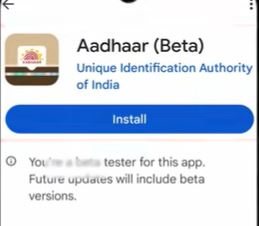
Step 1: Download the Official Aadhaar App
- Open the Google Play Store on your smartphone.
- Search for “Aadhaar”.
- You will see a new official Aadhaar application launched by the government.
- Download and install the app.
Step 2: Open the App and Complete Initial Setup
- Open the app for the first time.
- Allow all the required permissions when asked.
- Click on the “Discover” option.
- Tap Next on the introductory screens.
- Select “Enter Aadhaar Number”.
- Click on “I’m Ready with My Aadhaar”.
Step 3: Enter Aadhaar Details
- Enter your 12-digit Aadhaar number for which you want to update or link the mobile number.
- Tap Continue.
- The Terms & Conditions page will appear.
- Scroll down, click I Agree, and then tap Proceed.
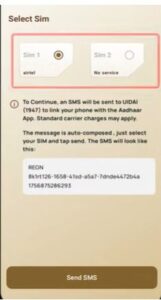
Step 4: SIM Selection and Verification
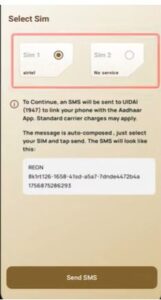
- A SIM selection page will appear.
- Make sure the SIM you select is inserted in the same phone.
- The Aadhaar-linked number does not need to be active.
- Select the SIM you want to use and tap Send SMS.
- Wait on the screen while SIM verification takes place.
- Ensure your SIM has a valid recharge, otherwise verification may fail.
Step 5: Face Authentication Login
If your selected SIM is not linked with Aadhaar, you will see the option:
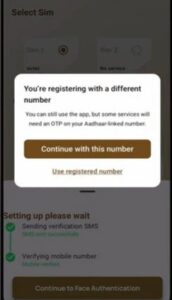
“Continue to Face Authentication”

- Tap on Continue to Face Authentication.
- Click Continue with this SIM.
- Tap Initiate Face Authentication.
- Scan your face using the phone camera.

- Important Face Scan Tips:
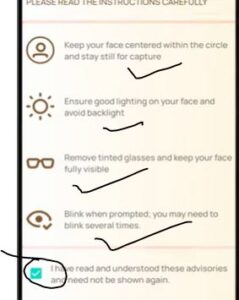
- Ensure proper lighting on your face.
- Camera should be working properly.
- Do not wear glasses or sunglasses.
- Keep your face aligned with the on-screen guide.
- Blink your eyes when instructed.
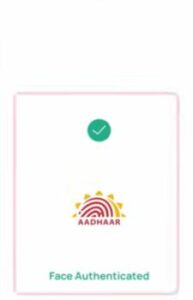
Once face authentication is successful, tap Proceed.
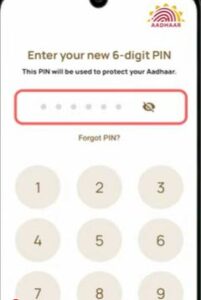
Step 6: Set a Security PIN
- You will be asked to create a 6-digit security PIN.
- Enter any PIN of your choice.
- Re-enter the PIN to confirm.
This PIN will be used for future logins, so you won’t need to repeat the full process again.
Step 7: Access Aadhaar Services
After login, you will reach the dashboard.
This new app allows:
- Digital Aadhaar sharing (like UPI payments)
- QR code-based Aadhaar
- Mobile number update
- Address update
- Name correction
- Email ID update
Scroll down and tap on the Services icon.
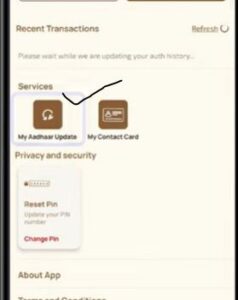
Step 8: Select Mobile Number Update
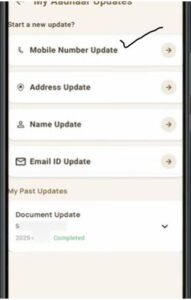
- Click on Update Mobile Number.
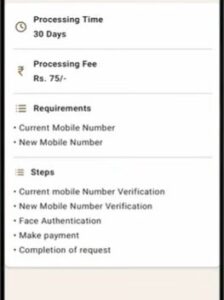
- You will be informed about a ₹75 government fee.
- Tap Continue.
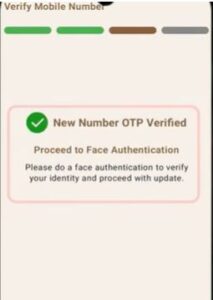
Step 9: OTP Verification on New Mobile Number
- Enter the new mobile number you want to link.
- Tap Send OTP.
- Enter the OTP received on the new number.
- Click Verify.
Step 10: Face Authentication for Final Verification
- Click on Face Authentication.
- Read the instructions and tap Proceed.
- Scan your face again using the same method.
- Blink your eyes when prompted.
Once completed, face authentication will be successful.
Step 11: Confirm Details and Make Payment
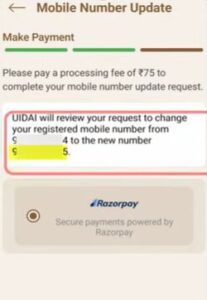
- You will see:
- Old mobile number
- New mobile number
- To register the update request, pay the ₹75 fee.
- Tap Confirm and Pay.
Payment Methods Available:
- Google Pay
- PhonePe
- Paytm
- Credit Card
- Debit Card

Complete the payment using your preferred method.
Step 12: Download Receipt and Track Status
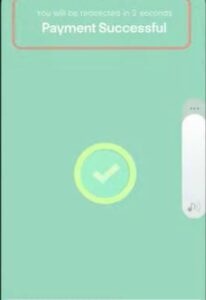
- After successful payment, you will see a success message.
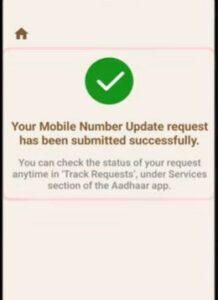
- A PDF receipt will be generated.
- Download and save the receipt for reference.
- You can check the request status anytime in the app.
- Validation Stage
- Completed Stage
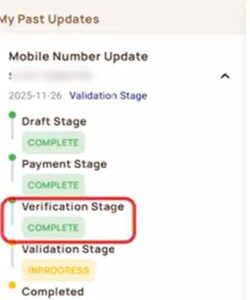
Once completed, the new mobile number will be linked to your Aadhaar.
Important Note
- If your Aadhaar never had a mobile number linked before, the update option may not appear yet.
- This feature will be enabled for such users soon.
- Keep checking the app for official updates.
Final Words
Using this new Aadhaar mobile application, you can easily link or update your mobile number at home without visiting any center. The process is secure, simple, and fully digital using face authentication.
This was the complete process to update your mobile number in Aadhaar from home.